Xtreme Imaging with Scarlet
| ||||||||||||||||||||||||||||||||||||||||||||||||||||||||||||||||||||||||||||||||||||||||||||||||||||||||||||||||||||||||||||||||||||||||||||||||
| EXTRA EMBOSS STEP | Date | Examples | Original Graphics | Imaged Examples |
| 05/04 | Image Magick | SCARLET | SCARLET | Explanation: When using "EFFECTS/EMBOSS", it is a good practice to include as part of the sequence of steps to add ENHANCE/NORMALIZE before you proceed onto Composite |
| "FLOWER BODY ART" | Date | Examples | Original Graphics | Imaged Examples |
| 08/18/04 | Image Magick | JEAN SCARLET | JEAN SCARLET | Explanation: Started as a take-off on Composite Colorization steps. Can also include Color-Wrapping steps IDEA: Comping florals onto the "skin" of graphics STILL BEING EXPLORED!!!! |
| Making Backgrounds from Scratch Using "PLASMA" | Date | Examples | Original Graphics | Imaged Examples |
| 09/16/04 | Image Magick | MARY ANN | MARY ANN | Explanation: RE: MAKING PLASMA BGS IF YOU DON'T LIKE FIRST DESIGNATED DESIGN YOU GET WHEN PICKING COLORS AND MAKING A "PLASMA" BG FROM SCRATCH, HIT YOUR BACK KEY AND ENTER AGAIN. YOU WILL GET A NEW DESIGN. DO IT AS MANY TIMES AS YOU NEED TO UNTIL YOU GET DESIRED EFFECTS. |
| When "OUTPUT" Is Not Working In Image Magick | Date | Examples | Original Graphics | Imaged Examples |
| 09/17/04 | Image Magick | SCARLET | SCARLET | Explanation: When you are imaging and , at the end, when you may find that "OUTPUT" at the Image Magick studio you are using DOES NOT WORK. what can you do? In the past you lost your hours worth of work. I finally figured out how to recover. Hit "VIEW" (one of the slots at the very top inside of Image Magick Then go to Webscissors (it is better if you have this set up on an Fkey in order to instantly procure the required page url.) Scroll down after Webscissors, SCANS THE PAGE, and you will find your image in the isze you last had it when imaging. Hit DETAILS and Webscissors will then give you the designated url for your image. That url will have a trailer of whatever the first url was you brought in while imaging. Transload to your account and you then have it. |
| F/X IMPLODE "OFF-CENTER" | Date | Examples | Original Graphics | Imaged Examples |
| 10/1/04 | Image Magick | SCARLET | SCARLET | Explanation: You can actually OFF-CENTER your F/X IMPLODE in several ways 1) Add Border. Crop off one , two or three sides of border. Implode. 2)Using TRANSFORM/SPLICE, first Splice your matte then Implode. 3)Using TRANSFORM/ROLL, first F/X IMPLODE your matte then Transform/ROLL |
| NEW "COMPOSITE" FEATURE IN "DECORATE" | Date | Examples | Original Graphics | Imaged Examples |
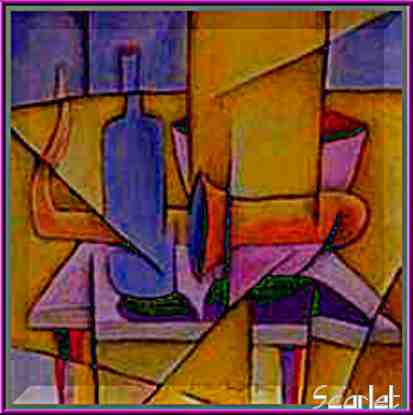
| 11/9/04 | Image Magick | SCARLET GAY ANNIE | SCARLET GAY ANNIE | Explanation: Basicly, this is a wonderful addition to PAINT RESET COMPOSITE You choose the color and you choose the COMPOSITE effect you want EXAMPLE ABOVE: Used 3x3+1+1 GRAY 13 and Composite Difference Tutorial on this by Scarlet and Spanishladyrider HOW TO DO "DECO/COMP" |
| "F/X STEREO COLORIZING USING DECORATE/COMPOSITE" | Date | Examples | Original Graphics | Imaged Examples |
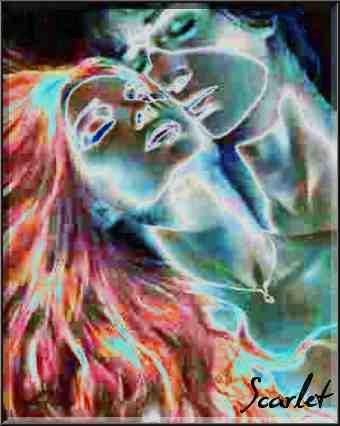
| 11/29/04 | Image Magick | SCARLET SCARLET | SCARLET SCARLET | Explanation: When using "F/X STEREO" one gets an ACCENT line of a RED HUE on the lines of their matte. In the past, you could use "ENHANC/NEGATE" afterward to change that RED HUE to CYAN HUE. Now we can make the image "POP" even more by changing the "F/X STEREO" lines. Use "F/X STEREO" (even 2 or more times for more change). Afterward use "DECORATE COMPOSITE" (Image Magick Version 6). Depending on what color you choose, you can make your ACCENT lines stand out. You can also MIMIC the "BLUR/COMPOSITE" and/or "CHARCOAL" techniques as seen in the MADONNA example above. Here is another "FIND" Page 07 #11 by Seekerlady using F/X STEREP AND COMPOSITE TUTORIAL |
| F/X OIL PAINT, TINT With DECORATE COMPOSITE | Date | Examples | Original Graphics | Imaged Examples |
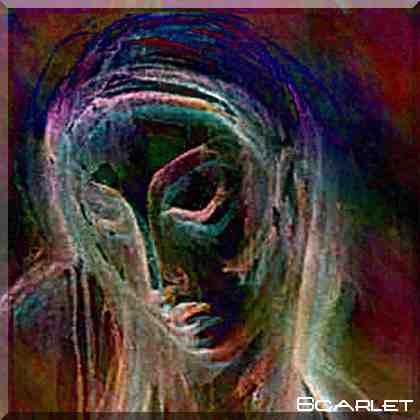
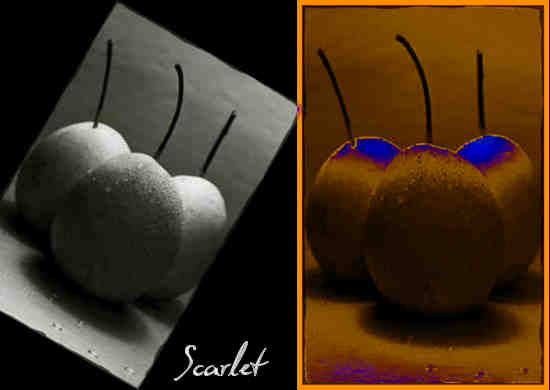
| 12/03/04 | Image Magick | SCARLET | SCARLET SCARLET | Explanation: "PAINTING" BLACK & WHITE GRAPHICS F/X OIL PAINT Parameters are 1-31 odd numbers F/X TINT Use percentages 1-100% and stipulate color in parm box below F/X effects First, use F/X OIL PAINT. Then use either F/X TINT and/or DECORATE/COMPOSITE in order to add colors to BLACK & WHITE graphics or to add even more to already colored graphic. |
| F/X SOLARIZE USING % | Date | Examples | Original Graphics | Imaged Examples |
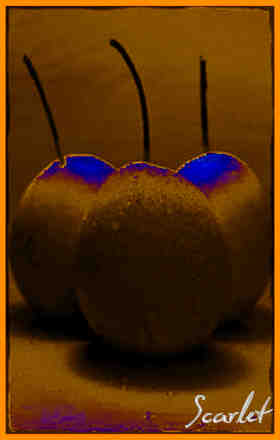
| 12/07/04 | Image Magick | SCARLET | Explanation: Now you can control the AMOUNT and DEGREE of which you NEGATE an image by using F/X SOLARIZE and a %. The parameters range from 1%-100%, the > the number the more your image is negated. TRY IT AND VISUALLY SEE FOR YOURSELF!!! |