Xtreme Imaging with Scarlet
| ||||||||||||||||||||||||||||||||||||||||||||||||||||||||||||||||||||||||||||||||||||||||||||||||||||||||||||||||||||||||||||||||
| Image Magick Enhance/Negate Channel | Date | Examples | Original Graphics | Imaged Examples |
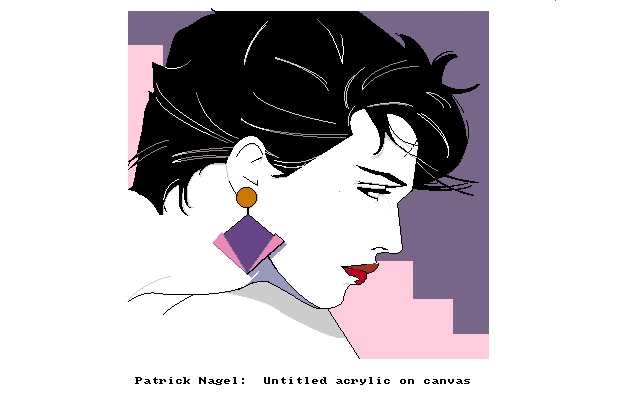
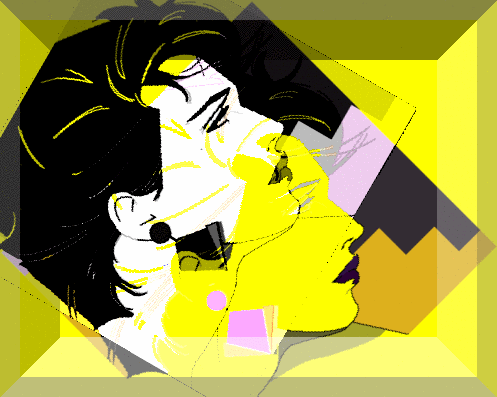
| 06/04 | Image Magick | SCARLET LYNDA | SCARLET LYNDA | Explanation: Using "CHANNEL" with the color dropdown boxes works using EXTREME/NEGATE. It is the supplementary for using COMPOSITE/COPYRED, COMP/COPYBLUE and COMP/COPYGREEN in the studios that no longer have these as COMPOSITE functions STEPS: |
| Image Magick F/X Implode --- Explode | Date | Examples | Original Graphics | Imaged Examples |
| 07/16/04 | Image Magick | Scarlet | Scarlet's Explode | Explanation: Explode is the contra of Image Magick F/X Implode. Whereas, Implode uses positive + numbers, Explode uses negative - numbers The above example is F/X IMPLODE= -2 |
| BUG WITH "CC&P" FIND | Date | Examples | Original Graphics | Imaged Examples |
| 07/01/04 | Image Magick | Scarlet |
Scarlet | Explanation: STEPS If you use "CC&P" Options and Find, some servers will give you a message ILLEGAL CHARACTERS: URL NO GOOD When trying to transload Go back, erase the last url placement after the "g" as in "jpg". If nothing happens, that means t there was an invisible space there. Try transloading again. |
| Composite Using Background Color Dropdown | Date | Examples | Original Graphics | Imaged Examples |
| 08/04/04 | Image Magick | Scarlet MARIA |
Scarlet MARIA | Explanation: In order to use Composite Background Color, you must somehow create an area, other than that which is taken up by your Compositing Graphic's Matte, in order to see you specified Background Color. One of the ways is to use Composite Rotate. The area which your matte is moved by Rotate will now take on the Background Color. I plan on trying it by adding Decorate Border black to the surrounding area of my Compositing matte and seeing if, by using Composite Offset and/or Gravity, that does or does not also produce the specified Background Color. NOTE: the Background Color is also dependent on what type of Composite effect you choose. STEPS |
| Transform Using Background Color Dropdown | Date | Examples | Original Graphics | Imaged Examples |
| 08/07/04 | Image Magick | Scarlet |
Scarlet | Explanation: In order to use Transform Background Color, so far Rotate is one way. Put a color in the "background" box and Rotate your graphic |
| BEV'S COLORIZING- NEW METHOD | Date | Examples | Original Graphics | Imaged Examples |
| 08/13/04 | STRANJER'S COLOR-WRAP | BEV SCARLET ANNIE See Explantion Below |
BEV SCARLET ANNIE See Explanation Below | EXPLANATION:Instead of needing a graphic with a black bg, this new method opens up the door for all of those graphics which had to be overlooked before. Same results as Stranjer's wrapping on primary graphic. **NOTE: At times the white background may produce 'artififacts" similar to those that black bgs did in old method. To eliminate this, lighten up the image after your last COMPOSITE step STEPS & EXAMPLES AUGUST 14, 2004 Having tested this out by several of the Advanced Imagers, it is the consensus that, "depending on the fractal used, this could look like a COLOR-WRAP and it could be a new method of Wrapping." However, it is DEFINITELY a new techique. It was Beverly's find so we are waiting to see what she wants to name it. BASIC FORMULA: COMPOSITE/BUMPMAP X 2 ENHANCE/NEGATE COMPOSITE/DIFFERENCE |
| "RRR"- ROLL, RAISE & ROTATE | Date | Examples | Original Graphics | Imaged Examples |
| 08/21/04 | Image Magick | Scarlet |
Scarlet | Explanation: TUTORIAL OPTIONAL:DECORATE SMALL BORDER ANY COLOR TRANSFORM/ROLL (at least half the width and half the height of your graphic) DECORATE RAISE 3 TIMES. Ie. 150x150, 125x125,100x100 COMPOSITE ROTATE GRAVITY (should be same "direction" of your ROTATE OFFSET (use this to "hike up" your graphic BGCOLOR (optional. NEW FIND.brings out the severity of your angles, raises & depth even moreso FINISH USING "ENHANCE" OR "DECORATE" I made 2 examples of the STEPS involved. You can also find the tutorial for this HERE |
| ADAPTIVE THRESHOLD | Date | Examples | Original Graphics | Imaged Examples |
| 08/23/04 | Image Magick | Flame Scarlet |
Flame Scarlet | Flame's Explanation: STEPS ADAPTIVE THRESHOLD:FLAME PT2. SpanishLady has worked with the higher numbers. ie.10x10, 13x13, 13x17, and has found an even "different" look. WATCH FOR TUTORIAL ON THIS "FIND" |